Amazon’s affiliate marketing service AmazonSmile helps you donate to your chosen charity when you purchase items at no extra cost to you. It looks exactly the same as the Amazon site offering the same product, price and experience. The difference? Instead of amazon.com, it is smile.amazon.com and not every single product will be eligible to donate.AmazonSmile will donate 0.5% of the purchased price. This is another great opportunity to contribute further to your favourite charity. Here’s how it works it just 4 easy steps:Step 1: Log inFirst things first you must sign into AmazonSmile through smile.amazon.co.uk (hyperlink) and enter in your Amazon account details. If you do not have an Amazon account you can create one at the bottom of the landing page.
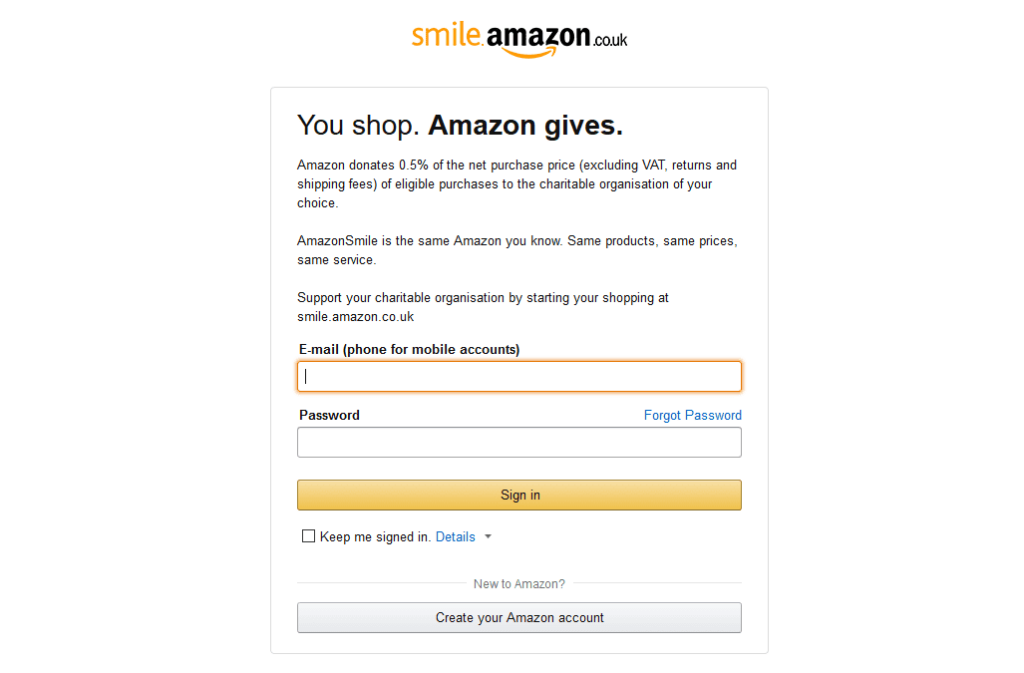
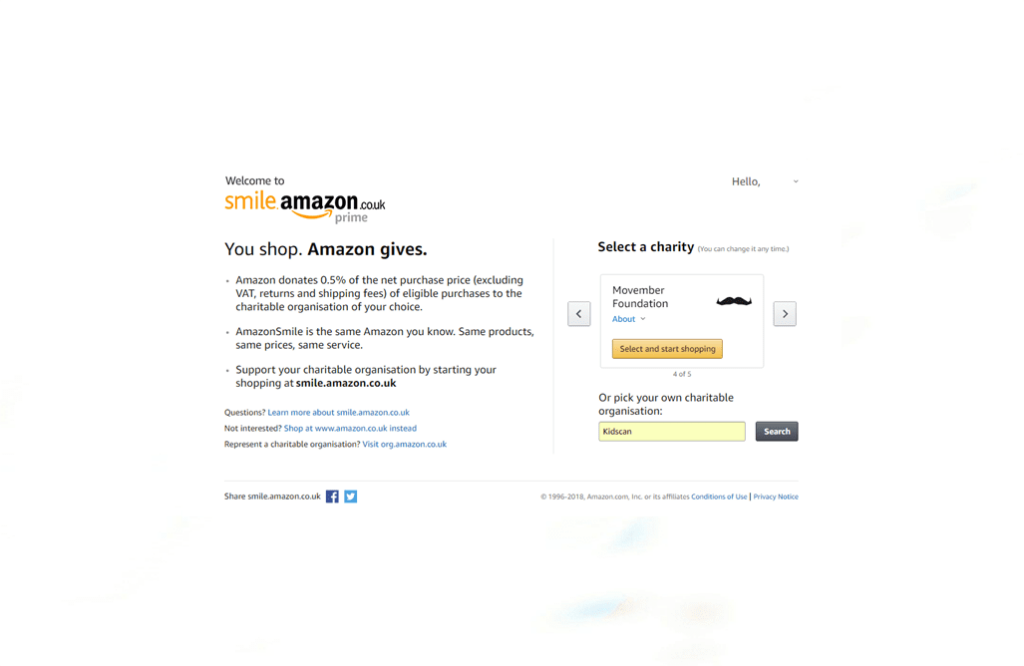
Step 2: Choose your charityOnce you have logged into with your Amazon details you will be directed onto the second page that will give you some options or you can pick one close to you like Kidscan.
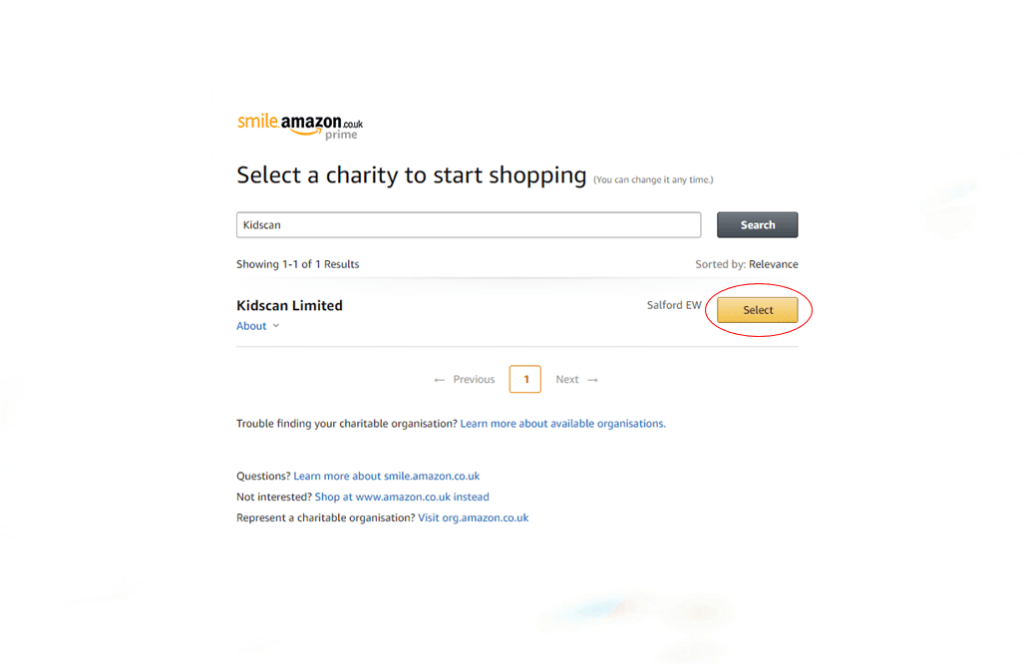
Step 3: Select your charityThe results from the charity you have searched will appear as you can see below. Once you have found your charity click ‘select’.
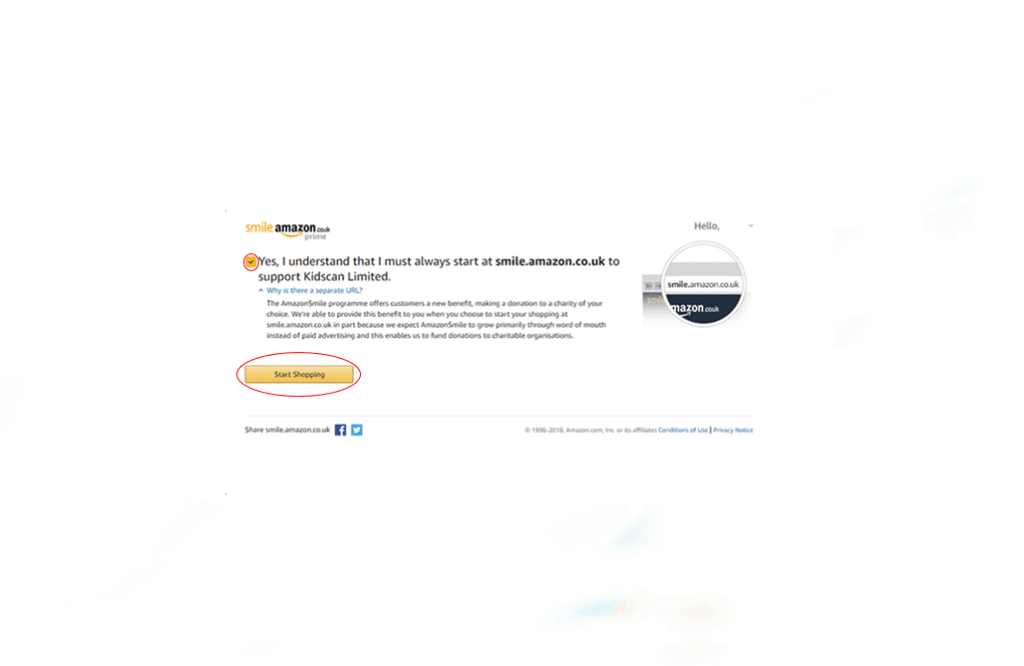
Step 4: Final stage before shopping For the charity to benefit from your purchases you must always shop through smile.amazon.co.uk. You can also read why there is a separate URL and once understand it, the shopping begins with just a simple click.
This is another avenue that you can further help Kidscan at no real expense other than the products you buy. You can do this by checking out or ways to shop and selecting AmazonSmile today.
Other News



Subscribe to our weekly newsletter